In the second part of the series on abandoning Windows in favor of Linux, I will present a computer (and its accompanying environment) that will serve as my model example of using Linux. In addition to technical issues, I will also try to explain my choices and share the problems I encountered.
Lately, I've been moving around a bit more and working with more computers. As it happens, the manufacturer announced that it was discontinuing support for Windows 10, and the next release seems like a bad joke from a privacy perspective. That's why I decided to abandon Windows 10 in favor of the Linux operating system on my desktop machines. I thought it would be a cool topic to show that it can be done and to sell a few solutions to the problems I encountered. Enjoy the material!
First, I would like to explain (in very general terms and simple language) what I gain from using Linux, and give a general overview of what it actually is. If you are an advanced user of this system, you can skip to the second part of this text, where I will start with the problems I encountered.
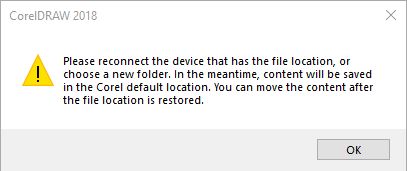
Some time ago I came up with an idea to move some folders on a Windows computer to another (bigger) drive. From that moment Corel (CorelDraw or Corel PHOTO-PAINT) welcomed me with a message:
Please reconnect the device that has the file is location, or choose a new folder. In the meantime, content will be saved in the Corel default location. You can move the content after the file location is restored.
There have been packages of a drop-down version of the window manager, Deepin Desktop 20 (known for its Debian-based Deepin Linux distribution). To check how the builder version looks and works on Fedora Linux 32 just use the terminal and the following commands: